Practical Fusion 360 Training for CNC Lathes
A step by step Fusion 360 tutorial for CNC Lathes, taught from a machinists perspective
Only $257 $147
14-day money-back guarantee. Instant lifetime access. Software not included
Is this you?
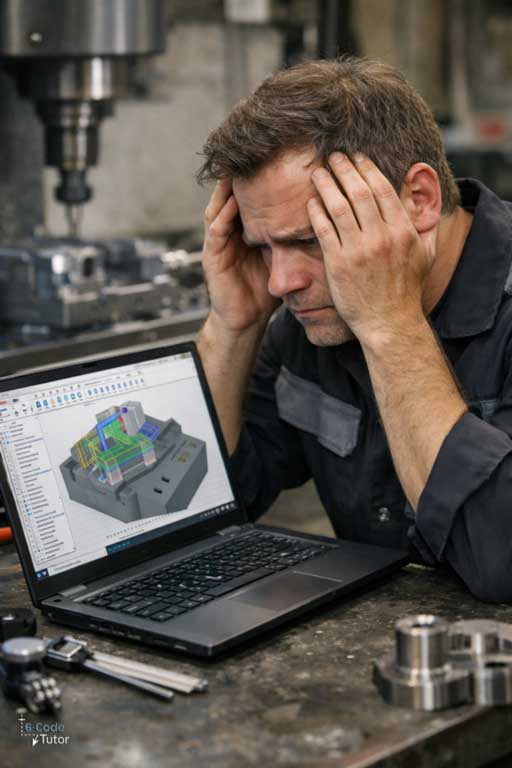
You open Fusion 360 and hesitate, unsure where to start.
You know how to run a CNC lathe. Setting tools, touching off, and running programs is familiar ground. But when CAD and CAM come into play, confidence slips.
Sketches feel fragile. Change one dimension and the profile shifts. The model looks right, but you do not fully trust it, so you carry on anyway.
CAM adds more doubt. You second-guess the setup, the plane, and where Z zero should live. You simulate again and again, watching closely for something unexpected.
Sometimes it works. Sometimes it does not.
Threading depths look wrong. Grooving moves feel aggressive. Sub-spindle transfers and live tooling raise the stakes.
So you copy settings from old jobs or online videos, slow feeds down just in case, and keep a hand near feed hold.
Maybe you learned Fusion by clicking around. Maybe you were shown what to click, not how a CNC lathe actually thinks.
That uncertainty shows up as:
- Sketches that break when a diameter changes
- Toolpaths you do not fully trust
- Endless simulation without real confidence
- Avoiding more complex turned parts
Capable CNC turners end up fighting the software instead of making parts.
The issue is not lack of skill. It is never being shown how Fusion 360 fits into real CNC lathe work.
If Fusion 360 still feels awkward, you are not on your own.
Maybe you picked it up gradually. Maybe you learned just enough to get parts out the door. You can finish jobs, but you never feel fully at ease.
You change one diameter and something else shifts. A sketch breaks. A feature fails. The model still looks right, but the doubt creeps in.
CAM adds another layer of pressure. A different tool, a second setup, a new material, and suddenly the toolpath feels wrong. Clearances look tight. Rapids feel close. Entry moves make you pause.
You watch the simulation more than you should, looking for that one move that might catch you out.
So you start adding safety. Extra retracts. Conservative lead-ins. More operations than the part really needs. You reuse old templates even when the job does not quite match.
Sometimes one small choice costs time. Sometimes it costs a part.
Over time, you stop pushing. You avoid more complex turned parts, sub-spindle work, or live tooling. You design around what feels safe instead of what the job actually requires.
That constant caution wears you down. Not because you lack ability, but because working in Fusion without real clarity turns every job into a mental load.
You see others move through CAD and CAM calmly, while you are still second guessing each step.
Introducing: Fusion 360 CAD/CAM Training for CNC Lathe Programmers
Fusion 360 can do almost anything. That is exactly why many CNC turners struggle with it.
Most Fusion courses try to teach the entire software. Sculpting. Rendering. Design tools that look impressive on screen but never get used to make real turned parts.
For a CNC lathe programmer, that extra material does not help. It adds noise.
You are left trying to work out which tools actually matter, which ones can be ignored, and how CAD and CAM are meant to work together for turning, while picking things up in fragments and filling the gaps as you go.
This course was built to remove that confusion.
It teaches Fusion 360 the way a CNC turner actually needs it, from the first sketch to posted G-code, using the same working practices used in real machine shops.
Only the tools and techniques required to design and machine parts on CNC lathes are included. Nothing is taught just because the software can do it. Nothing is added unless it directly supports making a turned part.
Everything is structured. Nothing is assumed.
This is not a collection of tips or shortcuts. It is complete CAD/CAM training for CNC lathe work.
Model parts the right way
Learn how to build clean, controlled lathe models from fully defined sketches. Understand constraints, design intent, and why turning models fail when they are built without structure.
Develop profiles logically so diameter changes, lengths, and features behave predictably instead of breaking later.
Create toolpaths you trust
Set up parts correctly from the start. Choose turning, drilling, grooving, and threading strategies that make sense at the machine, not just on the screen.
Generate toolpaths that reflect how material is actually removed on a CNC lathe, including sub-spindle and live tooling where required.
Know what the tool will do before it moves.
Work with confidence, not caution
Stop compensating for uncertainty. Stop adding extra moves and workarounds just to feel safe.
Post code knowing how it will behave at the machine.
Machine more complex lathe parts
Handle profiles, grooves, threads, drilling, sub-spindle transfers, and live tooling with control. Design parts to be machined cleanly, not avoided or simplified out of caution.
Learn Fusion 360 as a CNC turner
No sculpting. No animation. No wasted features.
Only the CAD and CAM skills needed to design and machine real parts on CNC lathes.
This course is taught by a time-served machinist and senior CNC machine tools engineer, and built to give CNC turners a level of CAD/CAM understanding most never receive.
Enroll today for just $257 $147
14-day money back guarantee. Free life time updates
YES! I WANT THE FUSION 360 FOR LATHES COURSE


But dont just take my word for it. Take a look at this.
Real feedback from machinists who have taken the course and seen results.
Has done a great job explaining things that Ive struggled with in the past...
Mike
I really enjoyed this course. It is very good for beginners and people with desire to learn some new skills, I will be continuing with this instructor and his courses!
Anthony
Information is being presented in a logical, simple, precise method. Very good coarse!
Mike
It couldn't be any better. I enjoyed every single step of the course. Many thanks
Pat
What you will learn
This course teaches Fusion 360 through complete, real CNC lathe parts, not isolated features or disconnected examples.
You begin by getting comfortable inside Fusion 360 itself. You learn how the interface is laid out, how to move confidently around lathe models, and how to work efficiently without constantly hunting through menus. The goal is to remove early friction so the software stops getting in the way of programming.
From there, you move straight into designing and machining real turned components.
The first project focuses on correct sketching and modelling for lathe work. You learn how to create fully defined profiles, apply constraints properly, and build stable models that behave predictably when dimensions change. You also see how modelling decisions directly affect turning, grooving, and threading later in CAM.
You then move into CAM for the same part. Toolpaths are built step by step and explained in context. You learn how to approach facing, roughing, finishing, drilling, grooving, threading, and parting in a logical order, and how to understand what each toolpath is asking the machine to do.
As the course progresses, sketching and modelling technique is refined. You pick up practical habits that prevent profiles from breaking, make edits safer, and keep models clean as designs evolve.
More advanced lathe operations are introduced where they naturally belong. You learn how threading is handled in Fusion 360, how tools are defined correctly, and how insert geometry and setup choices influence the resulting motion at the machine.
You then apply everything to larger, more demanding lathe parts. These projects walk through the full CAD and CAM process from start to finish, including multi-operation parts, sub-spindle transfers, and live tooling where required, without losing control of the workflow.
Each complete part reinforces the same core process: sketch with intent, model with machining in mind, set up CAM correctly, and generate toolpaths you can trust.
By the end of the course, you will be comfortable taking a turned part from a blank screen to posted G-code. You will understand why each modelling and machining decision is made, not just how to click through it.
This training builds a repeatable CAD/CAM workflow you can apply to your own parts, your own machines, and your own tooling, with far more confidence and far less hesitation.
Here are the lessons and bonuses that you will get when you purchase this course.
Fusion 360 CAD/CAM Training for CNC Lathes
Value $147
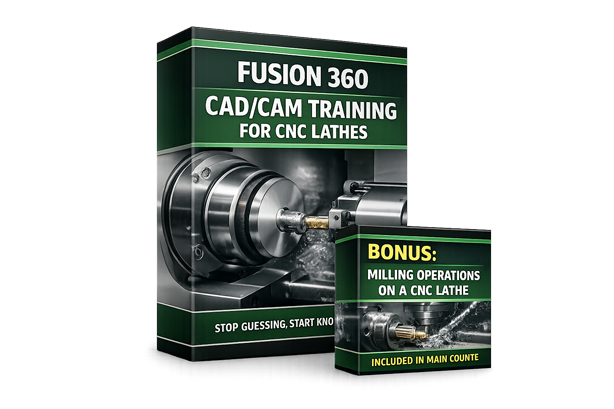
Stop using Fusion 360 by guesswork.
Most CNC turners are shown which buttons to click, but not why a sketch behaves the way it does, how a setup choice affects the cut, or what a toolpath will actually do at the machine. That leads to fragile profiles, uncertain setups, excessive simulation, and hoping the machine behaves once the code is posted.
This course teaches you how Fusion 360 actually works for CNC lathe programming, so you know what the machine will do before it moves.
You learn how sketching, constraints, modelling choices, lathe setups, tooling, and machining strategies all work together. You understand how to design turned parts that machine cleanly and how to generate toolpaths that are predictable and repeatable across facing, roughing, finishing, drilling, grooving, threading, parting, and more advanced lathe operations.
This is practical CAD/CAM training you can use immediately at the CNC lathe.
BONUS: Milling Operations on a CNC Lathe
Value $97
This bonus covers milling operations on a CNC lathe and is woven into the main projects, not taught as a separate or isolated lesson.
As you work through the course, milled features are introduced where they naturally occur on real turned parts. You see how radial slots, cross-holes, and milled details are modelled in CAD and programmed in CAM alongside the turning operations.
The focus is on understanding how turning and milling work together on modern CNC lathes, including setup choices, sequencing, and toolpath strategy.
By learning milling operations in context, you gain confidence programming complete mill-turn parts in a single, consistent workflow.
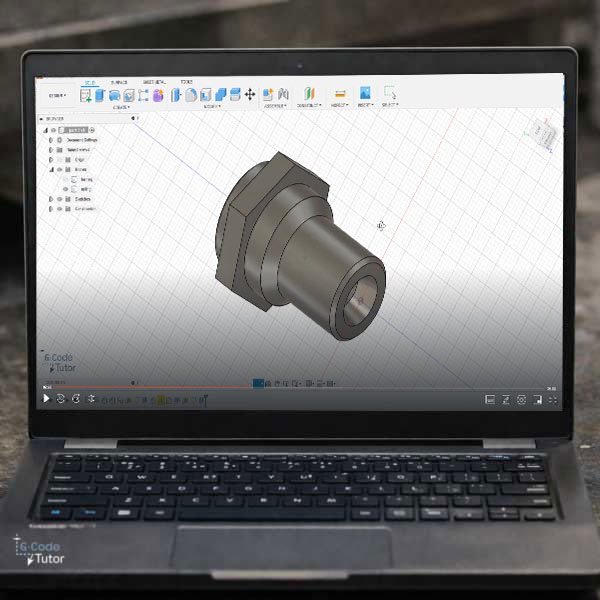
EVERYTHING YOU GET INSIDE THE CAD/CAM LATHE COURSE FOR $257 $147
Practical, shop-floor training that gives you the confidence to understand Fusion 360 safely, and run real jobs without guesswork.
Fusion 360 Lathe course
$147
Included
- Learn every technique needed to produce parts
- Master techniques used by aerospace engineers
- A copy of Fusion 360 is required to take this course
BONUS: Milling Operations on a CNC Lathe
$97
Yours Free
- Program parts with both milling and turning
- How turning and milling work together
- Helps prepare you for production work
Total Value: $257
Todays Price: Just $147
Fusion 360 CAD/CAM Training That Builds Real Skill
The fastest way to stop guessing and start knowing what will happen before the lathe moves.
This Fusion 360 CAD/CAM course teaches you how CNC lathe jobs are really built, from sketch to posted G-code. You learn how sketching, constraints, modelling choices, lathe setups, tooling, and machining strategies all work together, so you can generate toolpaths with confidence instead of caution.
Everything is taught using real CNC lathe examples, shown step by step inside Fusion 360 and explained in plain language, with no filler.
$257 $147
YES! I WANT THE FUSION 360 LATHE COURSEInstant access. Learn at your own pace. No fluff, just skills you use at the machine.
14-day money-back guarantee. If this course does not improve your confidence and understanding at the control, you get your money back. No stress, no hassle. (note: does not include fusion 360)
Over 9 hours of video tutorials
bundle content
- Complete Fusion CAD/CAM Training
- Fantastic value
- Become an expert at computer aided manufacture
- Kick start your career today
- Free updates for life
Both CAD/CAM courses
Fusion 360 for CNC Lathes
Fusion 360 for CNC Mills
Over 8 hours of video lessons
Save $$$ buy the CAD/CAM bundle!
please note that this package does NOT include the G-Code courses
Price for this course
$147
(Not including VAT if applicable)
Complete Fusion for lathe training
Increase your earnings
Better job prospects
Both Fusion courses
$237
Save $57
Complete Fusion machine shop training
Fusion 360 for CNC Lathes
Fusion 360 for CNC milling machines
If your question is not answered in this FAQ section, feel free to message me on my contact page.
They take care of your transaction with their secure payment processors that support several different payment methods.
Sign up now for lifetime free updates at just $257 $147
Each time new content is added to the course the price will Increase
YES! I WANT THE FUSION 360 FOR LATHES COURSE